


- Router,DrayOS 5
How to Batch Delete Devices from DrayTek VigorACS
XV. VigorACS and VigorConnect
Batch deleting devices in DrayTek VigorACS makes it quicker and easier to remove multiple devices from network management, particularly when decommissioning sites or cleaning up unused devices.
Steps
1. Go to Network & Service Management > Network Management.
2. Click Delete Devices.
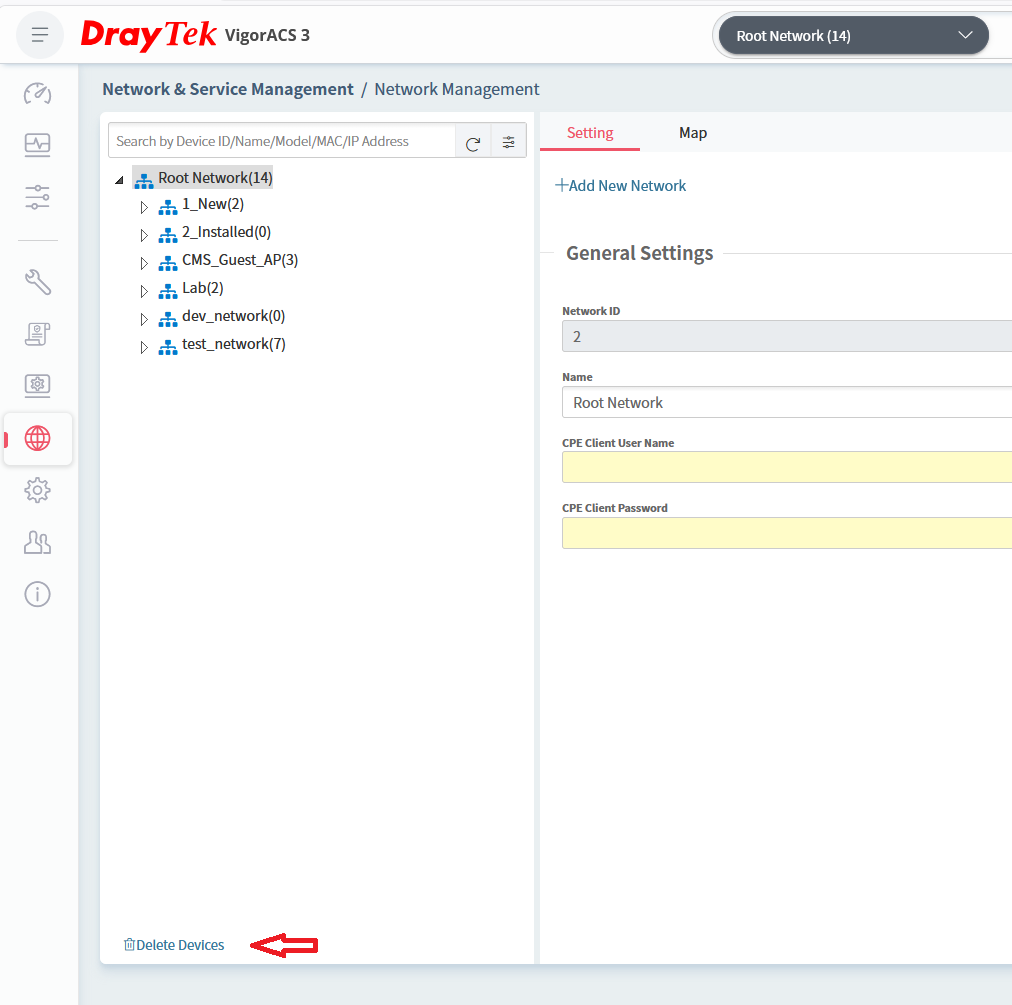
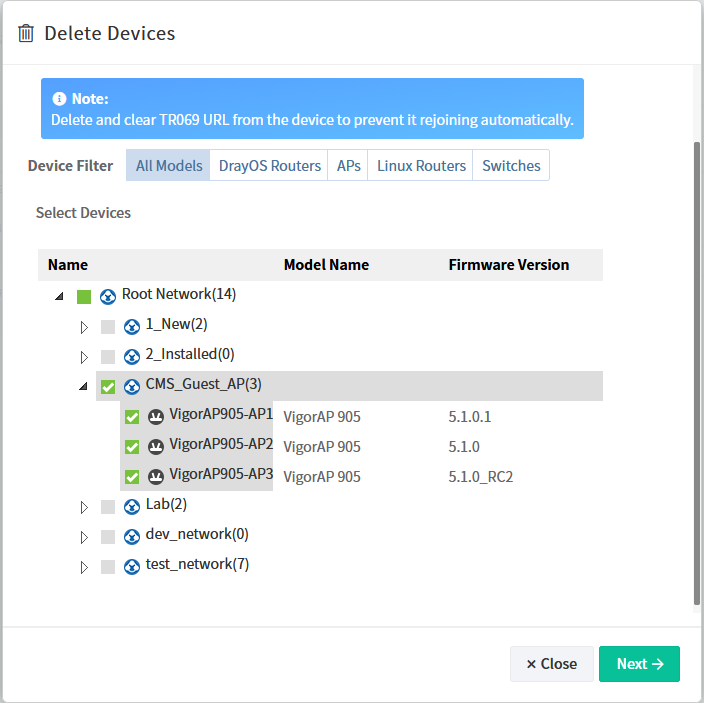
3. Under Device Filter, choose the device type:
- All Models
- DrayOS Routers
- APs
- Linux Routers
- Switches
1. Under Select Devices, use the checkboxes to select the devices you want to delete and click Next.
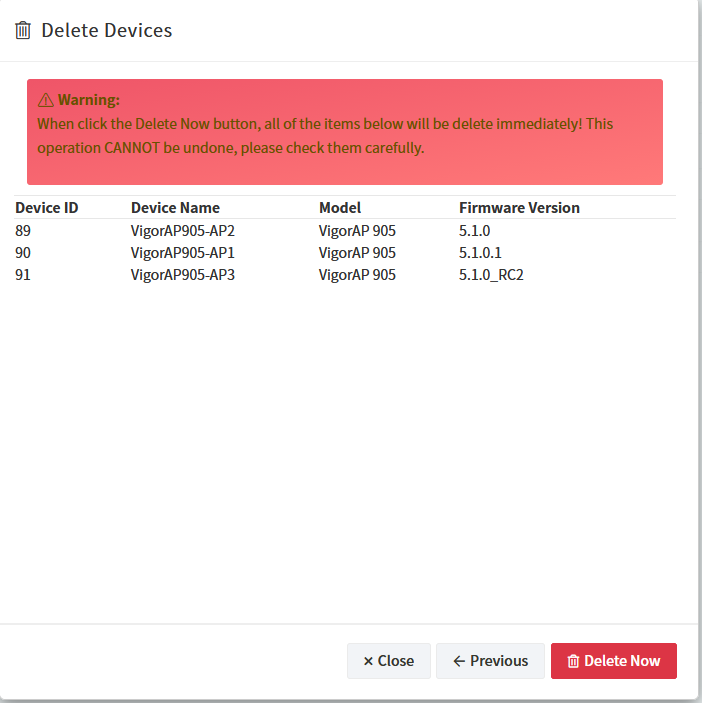
2. Review your selection carefully and click Delete Now to remove the selected devices.
Add a comment to this article
NOTE : All comments are reviewed before publication and may not be posted or may be redacted if the editors do not consider them helpful. The use of offensive or obscene language, copyrighted material, or advertising or promotion or linking to any other product or service is prohibited. By submitting your comment, you confirm that you are the original author and assign copyright of the content to DrayTek indefinitely and irrevocably.
