


- DrayOS 5
Switch Stacking
XIV. Miscellaneous Questions

Switch Stacking
Enables unified control and scalable network performance.
Simplify network management by unifying multiple VigorSwitches under a single interface with synchronized settings and high-speed 10 GbE interconnects. DrayTek Switch Stacking combines up to four switches into one logical system, delivering scalable performance, centralized control, and resilient operation.
Main functionality of Draytek Switch stacking

Security Enforcement
Protect the network from unauthorised access and threats:
- DHCP Snooping - Blocks rogue DHCP servers.
- ARP Spoof Defence - Prevents ARP-based attacks.
- Port Security - Restricts access to authorised devices only.
- Access Control Synchronisation - Centralised policies automatically enforce across all switches.

Unified Visibility & QoS Assurance
Ensure reliable performance and efficient traffic management across the stack:
- QoS Prioritisation - Guarantees bandwidth and low latency for critical applications such as VoIP and video conferencing.
- ONVIF Support - Automatically detects IP cameras and simplifies surveillance network management
- IP Conflict Prevention - Identifies and isolates duplicate IP addresses to maintain stable communication.
- Access Control Synchronisation - Centralised policies automatically enforce across all switches.
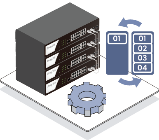
Dynamic Orchestration
Centralised control and seamless coordination of all stack members:
- Single IP Management - Manage the entire stack from one interface.
- Scalability - Easily expand the stack without reconfiguring existing switches.
- Dynamic VLAN Propagation - VLAN changes automatically apply across all units.
- Configuration Synchronisation - Settings on the master switch propagate to all members.
- Centralised Policy Deployment - Apply VLAN, QoS, and security rules across the stack -
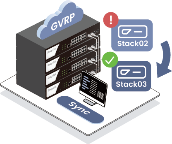
Network Resilience
Maintain continuous network operation and prevent downtime:
- Resilience and Failover - The stack keeps running if a switch fails.
- Switch Stacking - Combine up to four VigorSwitch units into one logical stack.
- Link Redundancy - Multiple inter-switch links ensure uninterrupted traffic flow.
- LAG Centralisation - Aggregate uplinks to improve bandwidth and redundance.
Comparison: Traditional vs. Stacked Switching
|
Aspect |
Standalone Switches |
DrayTek Switch Stacking |
|
Management |
Separate login required for each switch |
Single IP address manages the entire stack |
|
VLAN / Policy Setup |
Manual configuration on every device |
One-click synchronization across all stack members |
|
Firmware Upgrades |
Updates performed individually per switch |
Centralized update via the master switch |
|
Redundancy |
Limited redundancy per link |
Dual-link stacking with enhanced redundancy |
|
Scalability |
Requires manual reconfiguration when expanding |
Add switches seamlessly with automatic integration |
|
Monitoring |
Device-by-device visibility |
Unified overview of the entire stack |
Why DrayTek Switch Stacking?
|
Capability |
DrayTek Advantage |
|
Stack Size |
Supports up to 4 switches per stack for flexible network expansion |
|
Stacking Bandwidth |
Dual 10G SFP+ links per unit with ring topology for high-speed, redundant interconnection |
|
Management |
Single IP address with centralized Web UI and CLI control |
|
Policy Synchronisation |
Unified VLAN, QoS, ACL, and security configurations across all stack members |
|
High Availability |
Dual-link ring architecture provides path and node resilience |
|
Maintenance |
Centralized firmware upgrades and configuration synchronization |
|
Portfolio Coverage |
Supports 10G and 2.5G families, including 2282x Series, Q2300x Series, and 2542x Series |
Supported Models & Firmware Versions & Compatibility
|
Model |
Firmware Support Since |
Compatible Models for Stacking |
|
VigorSwitch P2282x / G2282x |
2.10.1 or later |
VigorSwitch P2282x / G2282x |
|
VigorSwitch Q2300x / PQ2300xb |
2.10.2 or later |
VigorSwitch Q2300x / PQ2300xb |
|
VigorSwitch G2542x / P2542X |
2.10.2 or later |
VigorSwitch G2542x / P2542X |
Notes:
- All switches in a stack must run the same firmware version.
- Only switches with the same port count and configuration are compatible for stacking (e.g., P2282x can be stacked with P2282x or G2282x).
- The master unit centrally manages configuration, firmware updates, and monitoring for the entire stack.
Add a comment to this article
NOTE : All comments are reviewed before publication and may not be posted or may be redacted if the editors do not consider them helpful. The use of offensive or obscene language, copyrighted material, or advertising or promotion or linking to any other product or service is prohibited. By submitting your comment, you confirm that you are the original author and assign copyright of the content to DrayTek indefinitely and irrevocably.
