


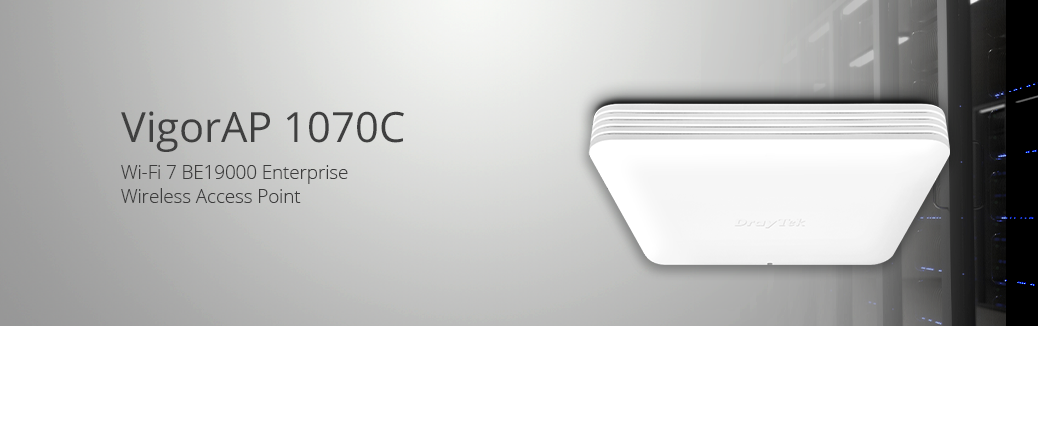
DrayTek VigorAP 1070C
Product Overview
Key Features & Benefits
VigorAP 1070C
Wi-Fi 7 Ceiling or Wall Mounted BE 19000 Mesh Wireless PoE Access Point
The VigorAP 1070C is a high-performance wireless access point designed for business where speed matters. This ceiling or wall-mounted mesh access point delivers tri-band wireless performance of up to 19Gbps (BE 19000), providing fast and reliable Wi-Fi 7 connectivity for a demanding network.
Equipped with ultra-high-speed 10GbE and 2.5GbE Ethernet interfaces, the VigorAP 1070C ensures high-capacity wired connectivity to fully support next-generation Wi‑Fi 7 throughput, cloud applications, and multi-gigabit network infrastructure.
Advanced Wi‑Fi 7 technologies including Multi-Link Operation (MLO), OFDMA, MU‑MIMO, and 4K‑QAM deliver lower latency, improved efficiency, and reliable wireless performance for hundreds of connected devices.


Wi-Fi 7 - Fast & Efficient
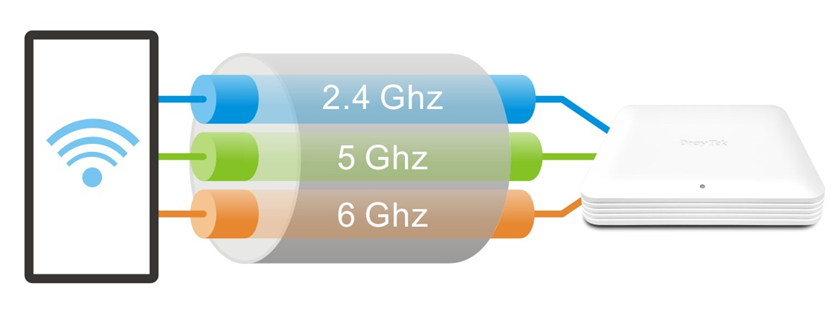
The DrayTek VigorAP 1070C is a high-performance Tri-Band Wi‑Fi 7 access point delivering BE19000 wireless speeds across the 2.4GHz, 5GHz, and 6GHz bands.
Designed for enterprise-grade connectivity, the VigorAP 1070C supports up to 512 concurrent wireless clients while delivering ultra-fast throughput and low latency for AI applications, cloud computing, hybrid working, 4K/8K streaming, and immersive collaboration tools.
Built on the latest Wi‑Fi 7 (802.11be) standard, the VigorAP 1070C introduces advanced wireless technologies and efficiency improvements designed for modern high-density business networks:
- Multi-Link Operation (MLO) allows compatible Wi‑Fi 7 devices to simultaneously transmit and receive data across multiple bands, reducing latency while improving throughput and connection reliability.
- 4K‑QAM Technology increases data density for significantly higher wireless throughput, delivering faster speeds for bandwidth-intensive applications and next-generation devices.
- OFDMA and MU‑MIMO improve wireless efficiency by serving multiple users and devices simultaneously, helping maintain consistent performance in busy enterprise and high-density environments.
- 6GHz Wi‑Fi provides access to cleaner spectrum, reduced interference, and support for wider 320MHz channels, enabling ultra-fast low-latency wireless connectivity.
The VigorAP 1070C supports up to 24 SSIDs, with up to 8 SSIDs per wireless band, making it ideal for separate business, guest, IoT, and voice wireless networks.
Higher Capacity with OFDMA and Multi-User MIMO
Wi‑Fi 7 enhances wireless efficiency with advanced OFDMA and Multi‑User MIMO technologies, allowing the VigorAP 1070C to communicate with multiple devices simultaneously instead of serving one device at a time.
In busy wireless environments such as offices, schools, hospitality venues, and conference spaces, traditional wireless networks can become congested as more users compete for airtime. This can lead to increased latency, buffering, inconsistent video calls, and reduced overall performance.
Using OFDMA, the VigorAP 1070C intelligently divides wireless channels into smaller resource units, efficiently allocating bandwidth to connected devices based on demand. Combined with MU‑MIMO technology, multiple users can transmit and receive data simultaneously for smoother real-time collaboration, cloud applications, streaming, and voice services.
Wi-Fi 7 OFDMA |
Older Wi-Fi Standards |
|---|---|
The result is faster and more consistent wireless performance across the network, particularly in high-density deployments where many users and devices require reliable low-latency connectivity at the same time.
With support for advanced Wi‑Fi 7 wireless optimisation technologies, the VigorAP 1070C helps businesses deliver stable high-speed wireless connectivity for hybrid working, 4K video conferencing, BYOD environments, and bandwidth-intensive enterprise applications.
Less Interference with BSS Colouring
Wireless interference is a common challenge in high-density environments where multiple access points and neighbouring networks compete for the same wireless channels. As more devices transmit simultaneously, congestion can reduce throughput, increase latency, and negatively impact wireless reliability.
BSS Colouring helps the VigorAP 1070C identify transmissions from neighbouring wireless networks and distinguish them from its own traffic. By intelligently recognising overlapping signals, compatible wireless clients can reduce unnecessary waiting time and make more efficient use of available wireless spectrum.
The result is improved wireless efficiency, reduced interference, and more stable performance in busy business environments such as offices, apartment buildings, schools, retail spaces, and multi-AP deployments.

Tri‑Band Wi‑Fi 7 Performance Across 2.4GHz, 5GHz, and 6GHz
The VigorAP 1070C delivers high-performance Tri‑Band Wi‑Fi 7 connectivity across the 2.4GHz, 5GHz, and 6GHz wireless bands, allowing devices to connect using the most suitable frequency for speed, range, and overall network efficiency.
The 2.4GHz band provides wider coverage and improved performance through walls and obstacles, while the 5GHz and 6GHz bands deliver higher throughput, lower latency, and reduced interference for demanding modern applications including cloud services, 4K video conferencing, streaming, and large file transfers.
With support for wider Wi‑Fi 7 channels, advanced modulation technologies, and intelligent client distribution across all three wireless bands, the VigorAP 1070C helps businesses maintain fast and reliable wireless connectivity even in high-density enterprise environments.
WPA3 Wireless Security & VLANs
The VigorAP 1070C supports the latest WPA3 wireless security standards alongside advanced network segmentation features, helping businesses securely deploy high-performance wireless networks for staff, guests, IoT devices, and business-critical applications.
WPA3‑Enterprise provides enhanced wireless protection with stronger authentication and 192-bit encryption for enterprise environments using RADIUS and 802.1X authentication. The VigorAP 1070C can integrate with external RADIUS servers or utilise its built-in RADIUS functionality for flexible deployment.
Support for up to 8 SSIDs per wireless band, combined with 802.1Q VLAN tagging, allows businesses to securely separate internal networks, guest access, voice services, and IoT devices across the same wireless infrastructure while maintaining secure traffic isolation.
Click here to learn more about WPA3 Wireless Security with DrayTek products.

Mesh Wireless
Mesh wireless enables flexible high-performance wireless deployments without requiring cabling between VigorAP access points. Simply configure a Mesh Root and add Mesh Nodes using the DrayTek Wireless app, while the Mesh system automatically determines the optimal wireless path for reliable connectivity and coverage.
The Mesh Root VigorAP connects to your existing network infrastructure, such as a DrayTek Vigor 2928be router. The self-healing Mesh system automatically re-establishes wireless links if interference or signal changes affect a Mesh Node’s normal uplink path.
Wireless clients connect to a single seamless Wi‑Fi network (SSID), with devices automatically connecting to the nearest VigorAP for optimal performance. High-speed wireless backhaul between Mesh access points helps maintain fast and reliable connectivity throughout the network.
Self-Healing and Intelligent Mesh Optimisation
A DrayTek Mesh Wireless network can easily expand by adding additional Mesh Nodes. The system intelligently organises wireless links between up to 8 DrayTek VigorAP access points to optimise coverage, stability, and performance.
If a Mesh Node loses connectivity to its preferred uplink, for example due to interference or environmental changes, it can automatically reconnect through another available Mesh access point with no manual intervention required.
Mesh Nodes located further from the Mesh Root can connect through nearby Mesh Nodes, supporting up to three wireless hops for extended coverage.
Where Ethernet connectivity is available, Mesh Nodes can also use wired uplinks to reduce wireless hops and maximise overall wireless performance across the Mesh network.

Multi-SSID over Mesh

DrayTek Mesh wireless supports 802.1Q VLAN tagging across multiple wireless networks (SSIDs), allowing secure network segmentation over both wireless and wired Mesh links between VigorAP access points.
Each SSID can be assigned its own VLAN ID, enabling businesses to securely separate internal users, guest access, voice services, and IoT devices across the same wireless infrastructure. VLAN-aware routers and switches maintain traffic isolation between networks for improved security and simplified network management.
Once configured on the Mesh Root, wireless settings and VLAN configurations are automatically synchronised across connected Mesh Nodes, simplifying deployment and ensuring consistent wireless policies throughout the entire Mesh network.
10GbE and 2.5GbE Connectivity with PoE++
The VigorAP 1070C is designed for next-generation business networks, featuring a high-speed 10GbE interface to fully support Wi‑Fi 7 BE19000 wireless performance. The 10GbE port also supports IEEE 802.3bt PoE++ for both power and network connectivity through a single Ethernet cable, while the additional 2.5GbE port can be used for wired network expansion, bridging, or connecting additional network devices.
PoE++ deployment is ideal for ceiling and wall-mounted business access points where local power may not be conveniently available. Using compatible DrayTek VigorSwitch models, administrators can centrally manage and monitor connected PoE devices across the network infrastructure.
For deployment flexibility, the VigorAP 1070C can also be powered using an optional DC power adapter, making it suitable for standalone installations and Mesh wireless environments where PoE may not be available.

Ceiling or Wall Mounted
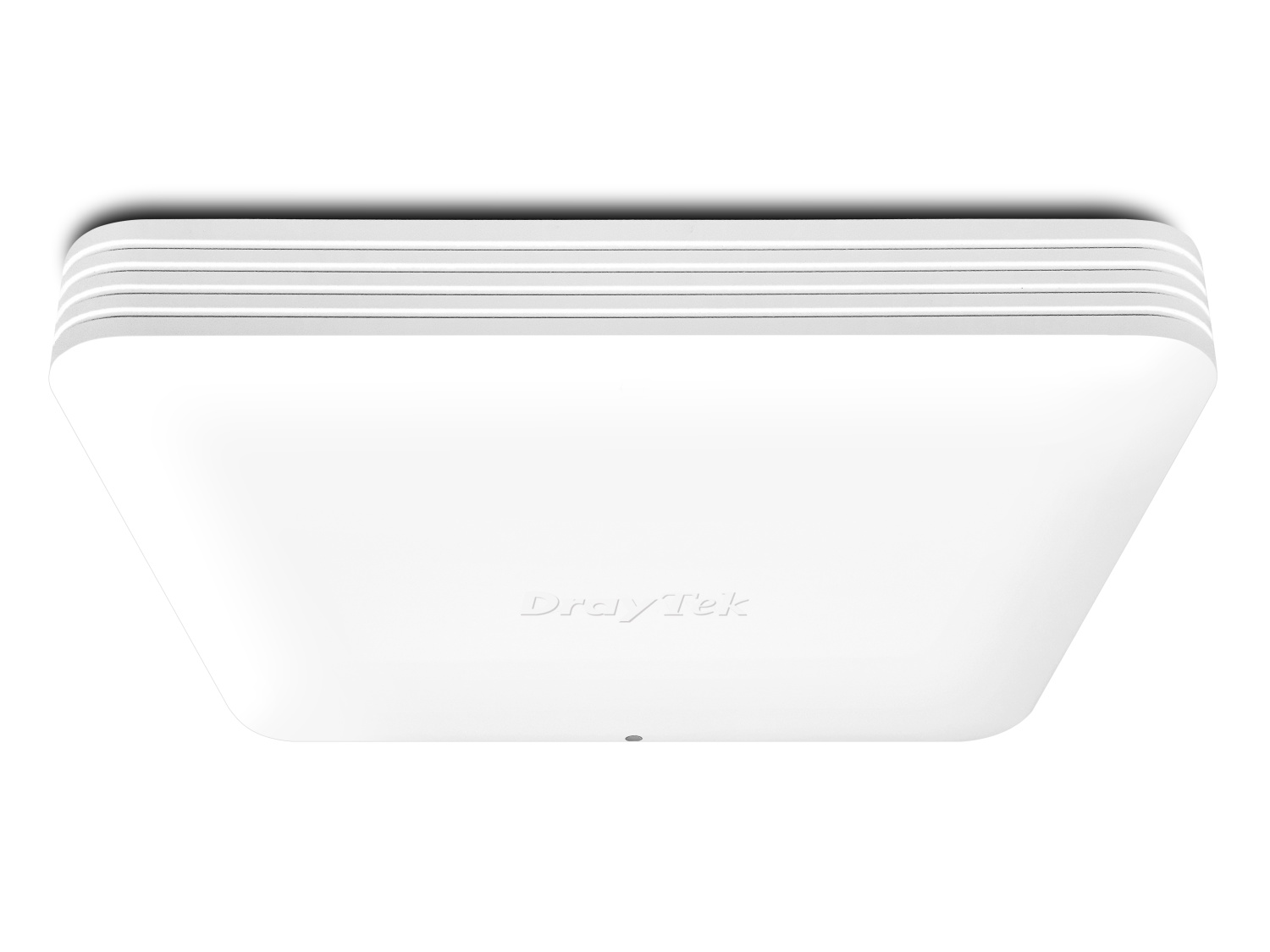
For a convenient and tidy installation, the VigorAP 1070C is designed for installation on ceilings and walls, blending into its surroundings with a matte finish. It's ideal for providing wireless access to large rooms and public spaces.
For mounting on solid ceilings and walls, a circular mounting plate (included with the unit) is fitted and then the VigorAP 1070C is secured into place by twisting the VigorAP into the mounting plate.
For suspended ceilings, additional mounts are included to attach to ceiling T-rails, clipping securely into place.
Cabling for the VigorAP can be discreetly run through the mounting plate or through a cable gap in the side. An included cover for this gap can be installed where cables are run through to the back of the access point.
AP & Repeater Modes

The VigorAP 1070C is configurable to suit most networks, with AP and Range Extender modes. In addition to its Mesh capability, it's ideal as a stand-alone Access Point to provide Wi-Fi connectivity for routers and networks without wireless.
Use the VigorAP 1070C as a Range Extender to connect to any existing wireless network and boost the signal, extending wireless coverage to areas that otherwise would have a patchy signal.
Cloud Management and More
DrayTek VigorAP wireless access points can be managed as stand-alone APs with their extensive web user interface.
To manage more than one access point, either for a single site or spanning multiple sites, DrayTek offer a multitude of options for managing VigorAP access points:
Cloud Management - VigorACS
DrayTek's VigorACS central management platform makes it possible to manage all DrayTek products from the Cloud or your own private server. DrayTek's access points, switches and routers can all be managed through the VigorACS management portal, with all of the menu options and features available, just as if they were being set up locally. Dashboard view gives a full overview of a VigorAP's status and usage.
VigorACS is great for managing VigorAPs spread across multiple sites, with AP profiles to configure wireless settings, passwords and VLANs. Apply AP profiles to reconfigure all APs on one site or multiple sites in minutes.
Ideal Application: Cloud Management and Multi-Site Management.
To learn more about DrayTek's VigorACS central management platform, click here.

Router-based Central Management
Managed VigorAP access points centrally through DrayTek Vigor router's web interface, to rapidly provision complex wireless configuration. Ideal for networks with 10 to 50 VigorAP access points, either on a single site or across multiple sites connected via VPN tunnel.
Provision selected groups to configure them all at once. Optional Auto Provisioning provisions VigorAPs straight out of the box with your Wireless configuration.
Ideal Application: Single-Site Management and Multi-Site Management via VPN. Up to 50 VigorAP, depending on router model.

VigorAP-based Central Management
New to the VigorAP 1070C is the ability to manage all VigorAPs on one site as a group. Simply assign one VigorAP to work as the Root AP and discover other APs on the network to manage them as a group. Any changes made on the root VigorAP can be quickly provisioned to the rest of the group.
Ideal Application: Single-Site Management without DrayTek Vigor router. Up to 50 VigorAP.

AP Assisted Roaming
Large wireless networks spanning multiple access points may sometimes seem slow to users, because their device is clinging on to a far away access point. Even when a closer access point is available for their device to connect to, which can slow down overall performance for all users connected to that now distant AP.
DrayTek solve this issue with AP-Assisted Roaming, which requires no central controller to operate. With AP-Assisted Roaming, VigorAPs communicate with each other to determine which clients can get a better signal as those clients move around.
If a client moves into range of another VigorAP access point, that AP informs the now distant AP, which makes an informed decision to disconnect the remote 'sticky' client. Allowing the client to quickly re-associate with their nearest AP, giving the user stronger signal and better speeds.
Click here to learn more about AP Assisted Roaming.
Wireless Optimisation
DrayTek's VigorAP access points have many features designed to improve wireless performance on your network, to ensure that every wireless client gets the best possible experience. Learn More
| Feature | Description |
|---|---|
Airtime Fairness |
Aims to maximise the total wireless throughput by improving how time is shared between wireless clients to prevent slower clients from negatively affecting other users and to enable faster clients to obtain higher speeds that they're capable of. |
Band Steering |
Increases capacity for Vigor Access Points by directing wireless clients, that are capable of connecting to 5GHz wireless networks, to the wider 5GHz band. The aim is to more evenly distribute wireless clients between the AP's wireless radios. |
Per-SSID Client Limit |
Control the number of clients that can connect to any one SSID on the VigorAP along with limiting data rates, for instance limiting a guest network to 10 clients to avoid overloading or disrupting a more important internal network. |
Station Control |
Limit connection time for individual devices to the VigorAP. Set the limit from 30 minutes to multiple days, once the timer runs out that user is disconnected from the VigorAP and can't reconnect until the selected Reconnection time has passed. Users connecting to a hospitality Wi-Fi network could be limited to one hour of wireless access, at which point they can't reconnect until 2 hours have elapsed. |
IGMP Snooping |
IGMP Multicast traffic broadcasts can use significant amounts of a wireless access point's available throughput. IGMP snooping allows the VigorAP to determine which clients need to receive these IGMP packets on either the 2.4GHz and 5GHz bands. Once enabled, the VigorAP will only send out IGMP packets to clients that have requested to receive it, leaving throughput available to serve more clients effectively. |
Dedicated Third Radio for Zero-Wait DFS and RF Optimisation

The VigorAP 1070C features a dedicated third 5GHz radio for continuous RF scanning and Zero‑Wait DFS operation. This allows the access point to monitor DFS channels for radar activity without interrupting client traffic on the primary wireless radios.
The dedicated scanning radio also supports wireless environment monitoring and RF analytics, helping administrators identify channel congestion, neighbouring access points, airtime utilisation, and potential sources of wireless interference.
By continuously analysing wireless conditions in the background, the VigorAP 1070C can help optimise channel selection and improve overall wireless stability in high-density business environments. This enables more reliable Wi‑Fi performance while minimising disruption caused by DFS channel changes.
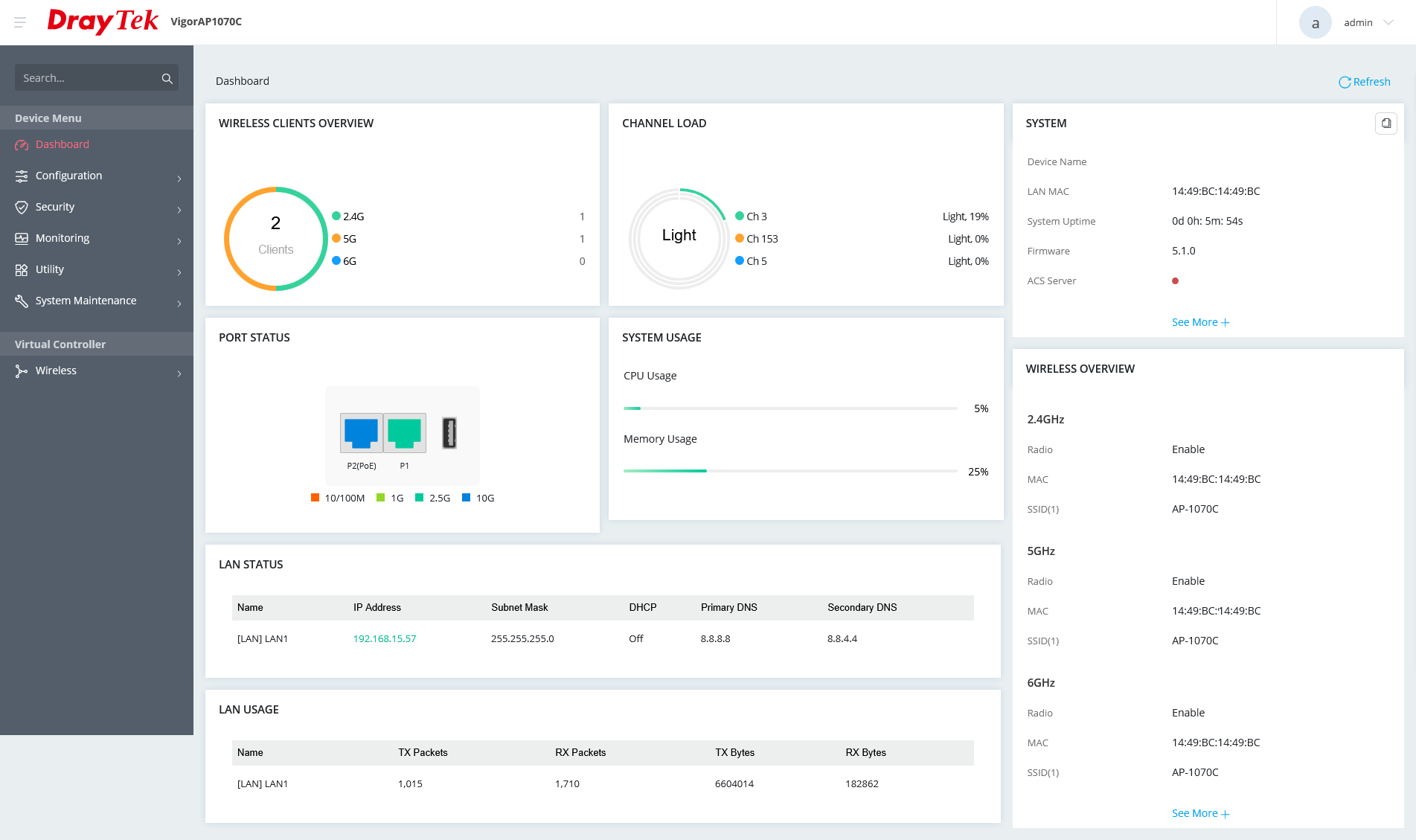
VigorAP Management
Assign a VigorAP as a root AP and it can manage up to 50 VigorAP access points on the same site, with the ability to provision and change settings for all VigorAPs through one interface:
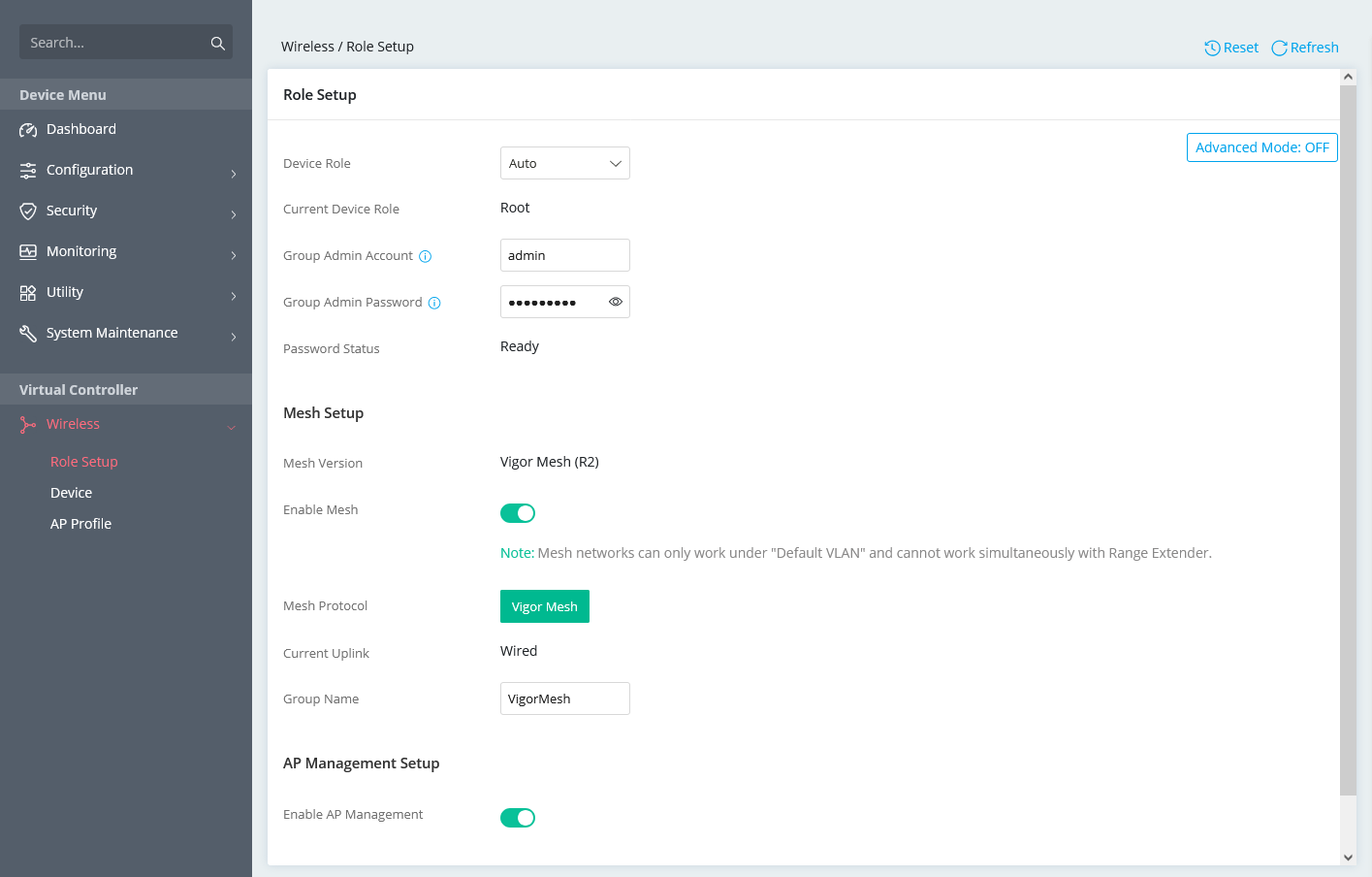
Mesh Wireless
View the Mesh Wireless status from the DrayTek Wireless app

List the Mesh Wireless APs in the DrayTek Wireless app

VigorAP 1070C
| Product Code | EAN | Product Name | Description |
|---|---|---|---|
| VAP1070C-K | 4710484749185 | VigorAP 1070C (UK/IE) | VigorAP 1070C Wi-Fi 7 BE19000 Ceiling AP with 10GbE PoE Ethernet |
Key Specifications
- Wi-Fi 7 Mesh Wireless Access Point
- BE19000– 802.11be Tri Band Wireless
- MLO – Multi-Link Operation for higher speeds and lower latency
- WPA3 Security – Stronger Security with WPA3 Personal & Enterprise
- Power through PoE or DC Power Adapter (not included)
- Multi-SSID over Mesh – Separate Internal and Guest Networks over Mesh*
- 10Gb and 2.5Gb Ethernet Interfaces
- Centrally Managed or Standalone Operation
- Root AP for AP Management
Technical Specification (UK Hardware Spec.)
Physical Interfaces/Controls
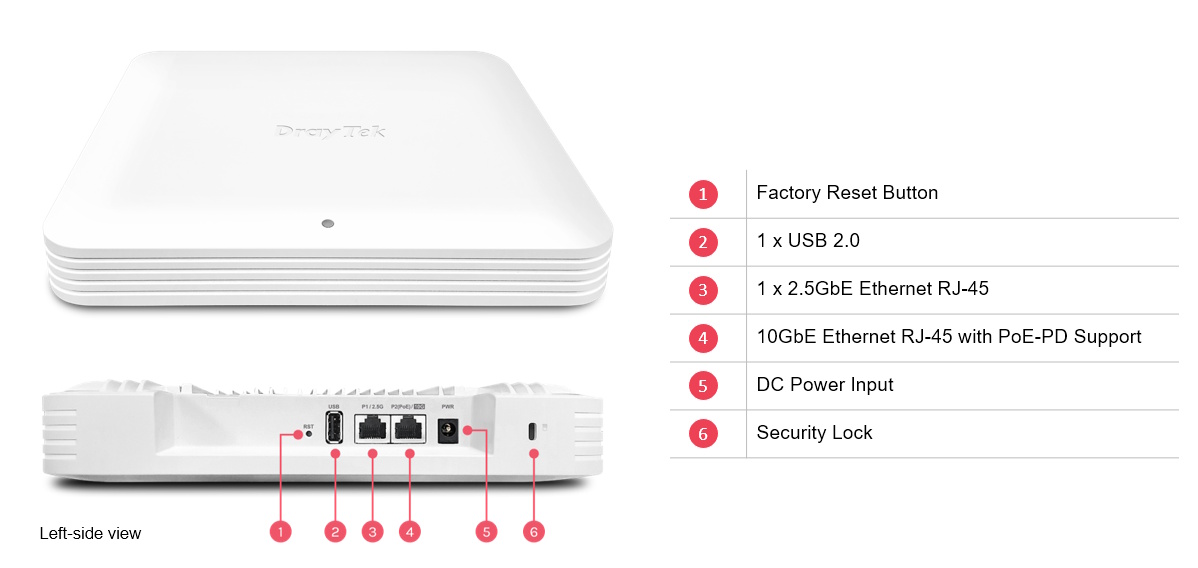
- 1x 10 Gigabit Ethernet LAN Port (10G/2.5G/1G/100M/10M), RJ45 (accepts PoE++ Power)
- 1x 2.5 Gigabit Ethernet LAN Port (2.5G/1G/100M/10M), RJ45
- 1x USB 2.0
- Factory Reset Button (recessed)
- DC Power Socket
- Security Lock
Wireless Performance
- BE19000 Class Wireless Access Point
- Max Concurrent Clients: 512
- Max Wireless Networks (SSIDs): 24 total, 8 per band
- 6GHz: Up to 11530Mb/s PHY Rate
- 5GHz: Up to 5765Mb/s PHY Rate
- 2.4GHz: Up to 1376Mb/s PHY Rate
Wireless Antennas
- 4x Internal Dual-Band (2.4GHz and 5GHz) Antennas (4 dBi)
- 4x Internal 6GHz Antennas (6.5 dBi)
- 1x Internal 5GHz Antenna for Zero-Wait DFS
Wireless LAN Compatibility
- 2.4GHz Standards: IEEE 802.11be / ax / b / g / n, 4x4 MIMO, up to 4096-QAM
- 5GHz Standards: IEEE 802.11be / ax / ac Wave 2 / a / n, 4x4 MIMO, up to 4096-QAM
- 6GHz Standards: IEEE 802.11be / ax, 4x4 MIMO, up to 4096-QAM
Wireless LAN Features
- Wi-Fi 7
- Tri-Band 802.11be - 2.4GHz, 5Ghz & 6GHz
- Backwards compatible with 802.11ax, 802.11ac, 802.11b, 802.11g, 802.11n
- 2.4GHz Channel Bandwidth: 20 / 40 MHz
- 5GHz Channel Bandwidth: 20 / 40 / 80 / 160 MHz
- 6GHz Channel Bandwidth: 20 / 40 / 80 / 160 / 320 MHz
- 2.4GHz Channels: 1 to 13
- 5GHz Channels: Extended 5Ghz Band - Channels 36-48, 52-64, 100-140
- 6GHz Channel within 5945–6425 MHz
- DFS/TPC Support for 5GHz channels 52 to 140
- OFDMA – Higher Efficiency
- BSS Colouring - Improves Interference Handling
- TX Beamforming
- 4096-QAM
- Multi-User MIMO
Security Features
- Wireless Encryption:
- WPA2: Personal, Enterprise (802.1x)
- WPA3: Personal, Enterprise, OWE
- WPA/WEP for legacy applications
- 802.1x Authentication (RADIUS)
- Wireless Client Isolation
- Hidden SSIDs (Selectable)
- WPS - Wi-Fi Protected Setup
- MAC Address Filtering (ACL)
Access Point Modes
- Access Point
- Mesh Root*
- Mesh Node*
- Range Extender
Wireless Control Features
- Wireless Client Status List in WUI
- Up to eight distinct SSIDs (for VLANs) for each frequency band (2.4/5/6GHz)
- 802.1Q VLAN
- Built-in DHCP Server & DHCP Relay
Wireless Performance Optimisation
- Airtime Fairness
- Band Steering
- WMM (Wireless MultiMedia)
- Fast Roaming 802.11r
Mesh Features*
- Up to 8 APs per Mesh Group
- Up to 3 Mesh Hops per chain with optional Wired Uplinks
- Config Sync
- Self-Healing
- Mesh Syslog
Diagnostic Features
- Dashboard: Traffic Graph & Client Usage
- System Log
- Traffic Graph
- Wireless LAN Statistics
- Interference Monitor (Site Survey)
Management
- Web Interface (HTTP/HTTPS)
- DHCP Client
- TR-069 Control (For VigorACS or other TR-069 platform)
- CLI (Command Line Interface) - Telnet, SSH
- Firmware upgrade by TR-069/HTTP
- Central AP Management (from compatible DrayTek router/AP/controller)
- Central AP Management – Manage Up To 50 VigorAPs
- SNMP v1, v2c, v3
- Management VLAN
- Configuration File Export & Import
- Schedule: Wi-Fi Up/Down & Auto Reboot
Power Requirements
- Maximum Power Consumption: 33 Watt
- DC 12V 3A via external 100-240v AC/DC PSU (not supplied)
- 802.3bt PoE++ via LAN port. Requires PoE++ injector or a PoE++ switch such as the VigorSwitch PX2060
Environmental & Physical
- Operating Temperature: 0 ° C to 40 ° C
- Operating Humidity: 10% to 90% (Non-condensing)
- Physical Dimensions: 225mm (height) x 225mm (width) x 43mm (depth)
- Weight: 1674g
- Fitting: Ceiling or Wall Mountable
Pack Contents
- VigorAP 1070C wireless access point
- Ceiling Mount Bracket & Fittings Kit
- Quick Start Guide
- Ethernet Cable (RJ-45)
ROHS, UKCA & CE Compliant
Warranty
- Two (2) Year Manufacturer's RTB
- Software security updates
3 years after the EOL notification. Please note that this only applies to products sold in the UK - Optional VigorCare Enhanced Warranty Available
- VigorCare A3 3 Year Subscription: VCARE-A3
- VigorCare A5 5 Year Subscription: VCARE-A5
* - visit https://www.draytek.co.uk/information/our-technology/mesh-wireless-compatibility-list for mesh compatibility details


One moment please...
Email sent successfully!
